
| Price | $0.99 |
|---|---|
| Category | Personalization |
| Version | 1.0 |
| Developer | AndroidFeens |
| Added | Apr 13th, 2011 |
| App Views | |
| Votes | 0 votes |
| Google Rating | |
| Ratings | 9 |
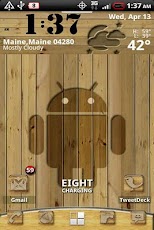
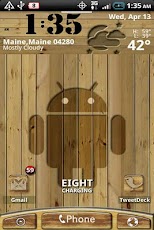
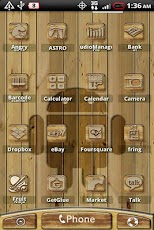
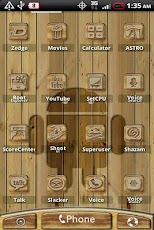
MAKE SURE TO READ HOW TO USE THIS THEME BELOW!!!!!This is not a stand alone app. It’s a theme for ADW Launcher. If you don’t know what ADW Launcher is go to this link for more info http://www.youtube.com/watch?v=KD5WD-HDagMIf you love the Evo, Hero Incredible, Thunderbolt and or just HTC Sense then you will love this theme. The main dock is one that you can just place any icon. To change the dock you must have ADW EX, and follow these steps.1.Hit Menu2.Click ADW Settings3.Click UI Settings4.Click Main Dock 5.Click Dock Background6.Click Custom.7.Click Wood Sense ADW Theme8.Then chose the dock you like.To set the dock up keep reading.You have to take each icon hold down on it and you should get a menuthat pops up. From there click edit. Then click the picture on theleft, the click ADWTHEME IconPacks. then click on this app’s icon thevery first icon is a blank icon click that then hit ok. That will makethe icon clear. Then from there just drag the icon down to the dockwhere you want to use it.To change the dock to a custom dock you must have ADW EXTo change the Dock: Hit Menu then ADW settings, then UI Settings, Main Dock, Dock Background, Custom, and click the theme you want you dock bar from and set it.ADW.Launcher by anderwebs is Required To apply this theme do the following: Menu–>ADWSettings–>Theme Prefs–>Select your Theme–>Apply ThemeFor a video on how to apply themes go here http://www.youtube.com/watch?v=-i4L0i7zk48Please know how to use ADW before you email me with any questions. Also watch the YouTube video on how to.
App Screenshots
Other Personalization Apps


