
| Price | Free |
|---|---|
| Category | Tools |
| Version | 1.50 |
| Developer | modian |
| Added | Apr 1st, 2012 |
| App Views | |
| Votes | 0 votes |
| Google Rating | |
| Ratings | 35 |
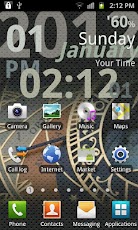
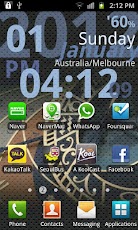
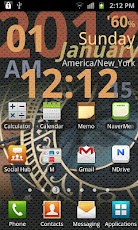
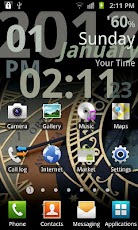
!!!!! PLEASE BE SURE !!!!![Home] > [Menu] > [Wallpaper] > [Live Wallpapers] > [World Clock Live Lite] click ‘Set wallpaper’ for starting..Lite version of the ‘World Clock Live’.- Theme: Grey color theme and Green color theme (2nd screen).- Background Image: Black solid & ‘sundial’ image only.- Timezone: Current timezone + 1 more time zone (2nd screen).- Effect themes: Clean and dot effect themes.- Battery info. option.- Set clock position.- Set 12/24 hour format.- [WorldClock LiSettings] icon on [Main Menu].FULL VERSION —–‘World Clock Live’ is a neat live wallpaper featuring different world clock showing for each screen with solid or your own gallery image background.To Use:[Home] > [Menu] > [Wallpaper] > [Live Wallpaper] > [World Clock Live] for launching and setting.After launching, You can use [WorldClock Settings] icon on [Main Menu] for setting.Features:- Show different world clock for each screen.- Smooth sliding effects.- Set clock position.- Set 12/24 hour format.- Choose effect theme for image.- Choose battery info. option.- Change world clock color theme for each screen.- Change time zone for each screen.- Change solid background image.- Change background image from your own gallery.- Optimized & energy efficient.Note:- Up to 5 different time zones.- 1st page screen is set to default/current time zone clock.
App Screenshots
Other Tools Apps





