

| Price | Free |
|---|---|
| Category | Tools |
| Version | 1.0.7 |
| Developer | SimpleMobDev |
| Added | Apr 12th, 2012 |
| App Views | |
| Votes | 0 votes |
| Google Rating | |
| Ratings | 291 |
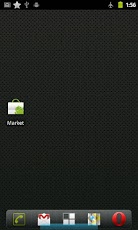
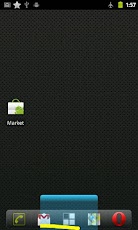
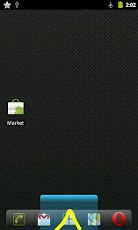
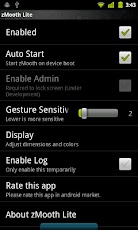
zMooth lets you use gestures to mimic your device’s hardware keys (back, home and menu), you will be able to use very intuitive gestures to navigate your device. If gestures are not working or you having some issue please check zMooth Preferences->Help->FAQ. This should solve most problems, If not just contact support at Preferences->Help->ContactSupport.zMooth is unobtrusive and uses minimum amount of screen space but very easy and intuitive to use. If you use for couple of days you won’t even think about using the buttons.After you install the app you will see a blue area at the bottom of the screen, swipe left on this area to go back, swipe right for menu and gesture a up-arrow(^) for home.zMooth will also save your hardware keys from being prematurely degrading as you will be using them a lot less. It might also slightly increase your battery life as you won’t be turning on button lights and triggering hardware button circuits.The pro version will add more features, including being able to turn off screen, change width, colors of the gesture area.Note: zMooth requires a rooted android device.Keywords: zMooth, gesture, keys, hardware, buttons, softkeys
App Screenshots
Other Tools Apps





