| Price | $1.12 |
|---|---|
| Category | Casual |
| Version | 2.3 |
| Developer | Zabamobile Ltd. |
| Added | Sep 25th, 2011 |
| App Views | |
| Votes | 0 votes |
| Google Rating | |
| Ratings | 2 |
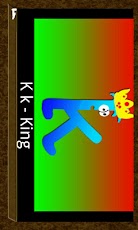
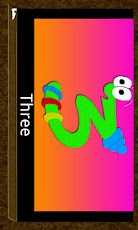
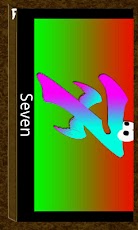
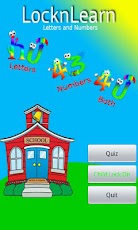
Educational app aimed at pre-schoolers to teach children the alphabet and numbers with a real childs voice and a quiz!*Optional child lock (inc home key) which means you can truly leave the phone with your little one knowing no SMS messages or phone calls will be made. (More info below)Using colourful, fun graphics and a real childs voice children can learn the shapes, words and sounds of the letters of the alphabet as well as numbers one to ten.The teaching slides are so easy to use, simply tap on the screen to see the next slide and in a childs voice, the spoken word can be heard. Great as a teaching aid or to simply entertain in those "are we there yet?" moments 🙂 My 2 year old loves this application and the funny characters and noises always make him smile.* All modes of play are designed to be used either with the parent or to be left with the child. My 2 year old gets on fine with the app on his own, playing the quiz again and again with no parent intervention required.The quiz feature takes a random selection of 10 questions and tests the child on what they have learnt!It features questions such as:* Where is the number 5?* Can you find the letter…? (With the spoken word of the letter played)Stars are given for each correct answer and the number of times answered incorrectly is recorded so the child can try to improve the times they answer correctly the first time! We have aimed to create a simple but effective teaching aid that is clear and engages the child and makes learning fun.The child lock is completely optional, either use the app with no locking or turn it on to lock all the keys, including the home button. Upon exiting the application all your settings are fully restored. Simply tap all four corners of the screen to unlock when in lock mode. Due to an android limitation, the app must set itself as a launcher application when in child lock mode. You will be required to select the app and tick the box which says ‘Use by default for this action.’ Again, this will be reversed when child lock is turned off or when you exit the application. The locking mechanism is fully explained when you turn on the child lock and you have the option not to use it.We hope you enjoy this application and that you will continue to support our development by downloading other apps from the LocknLearn series. We look forward to receiving your feedback and hope your little ones enjoy the series.Any comments or suggestions are greatly received and will enadeavour to provide updates to enhance the app based on these.
App Screenshots
Other Casual Apps