

| Price | Free |
|---|---|
| Category | Productivity |
| Version | 2.0.1 |
| Developer | Fuji Xerox Co., Ltd. |
| Added | Apr 8th, 2012 |
| App Views | |
| Votes | 0 votes |
| Google Rating | |
| Ratings | 121 |
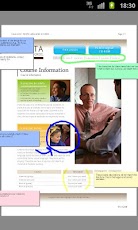
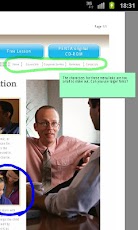
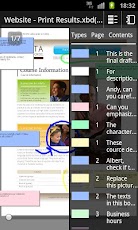
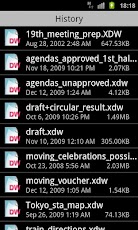
A "Digital Paper" DocuWorks file viewer for Android.●Features available with DocuWorks Viewer Light for Android-View DocuWorks files. Zoom in and out, show or hide annotations.-Show in "NotePads" all the notepads pasted in a file and then tap one to jump to a corresponding page.-Display all the files in the "DocuWorks Binder" on the "Documents in Binder", and then tap a file name in the "Documents in Binder" to move to the first page of the corresponding file.-Jump from link annotations to pages within a file or web pages you want to visit.●Features available with fee-based functions (Free seven-day trial is available)- In the annotation functions, add marker and text notepad annotations, and change the attribute.- Move or delete existing annotations.The fee-based functions can be purchased only in the countries listed on the following website.http://support.google.com/googleplay/bin/answer.py?answer=143779●Opening DocuWorks filesTap the following files, and select "DocuWorks" in the applications to open those files.-DocuWorks files that are mail attachments-Web page links link to DocuWorks files-DocuWorks files in the file manager or online data storageDepending on the applications or services, DocuWorks files may not be opened.-Protected documents are not viewable.●Operating environments and supported file formats-Processor: ARM compatible processor-OS: Android 2.2, Android 2.3, Android 3.0, Android 3.1, Android 3.2, Android 4.0, Android 4.1 or Android 4.2-Screen: Multi-touch screen or single-touch screen ranging from 480×320 to 1280×800 pixels-Supported File Formats: DocuWorks files (xdw) and DocuWorks binders (xbd) created with DocuWorks Ver. 4 or later.●NoteThe operation has been checked with some devices which satisfy the operating environments.
App Screenshots
Other Productivity Apps





