| Price | Free |
|---|---|
| Category | Education |
| Version | 1.2 |
| Developer | Gaurav Vaish |
| Added | May 5th, 2011 |
| App Views | |
| Votes | 0 votes |
| Google Rating | |
| Ratings | 0 |
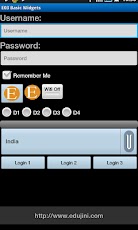
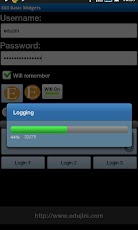
Full series of the tutorials can be downloaded fromhttp://www.edujini.com with CODE!In application 3 of the series , this tutorial demonstrates the following:1. Basic widgets – TextView, EditText, CheckBox, RadioButton, ImageButton, ImageView, ToggleButton a. How to programmatically show/hide the keyboard b. How to hide the keyboard during initial launch of the application. Note that if the first view to receive focus in Activity is EditText, Keyboard will automatically show up which can be disgusting2. Working with simple data-bound view: Spinner3. Working with ProgressBar and managing multi-threaded issues if a task takes a long time4. Showing the progress to the end user in multiple ways: a. ProgressBar within the Activity b. Using ProgressBarDialog to show as a dialog c. Using the window-feature to show ProgressBar on the Title Bar of the Activity Window.
App Screenshots
Other Education Apps