

| Price | Free |
|---|---|
| Category | Productivity |
| Version | 1.1.0 |
| Developer | Innovating Solutions LLC |
| Added | Oct 20th, 2011 |
| App Views | |
| Votes | 0 votes |
| Google Rating | |
| Ratings | 5 |
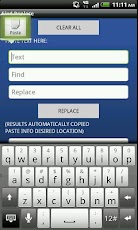
Android’s Copy Paste technology is great, but what if you need to replace some characters, words or phrase? The Find Replace App is what you need. Use the select/copy function in your email, text message etc, by long pressing on the original text. Either Select All, or drag the pins to the beginning/end of the text you want to copy then copy. Open the Find Replace App and long press to Paste into the text column. Enter the word or phrase you want to find, and the word or phrase you want to replace it with. Click the Replace button. You will see the new text in the result box and it is already selected and copied to the clipboard for you. Return to the place you would like to paste, then press and hold to paste. Especially useful for long emails that you don’t want to search and manually update all the places that need the changes. Find Replace App works with the Android’s Select/Copy/Paste function for easy manipulation of text. Find and Replace in six easy steps. Select->Copy->Paste->Find->Replace->Paste Benefits:
App Screenshots



Other Productivity Apps





