| Price | Free |
|---|---|
| Category | Weather |
| Version | 3.1.4 |
| Developer | Factory Widgets |
| Added | Jun 12th, 2011 |
| App Views | |
| Votes | 0 votes |
| Google Rating | |
| Ratings | 405 |
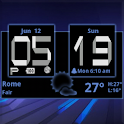
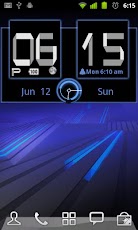
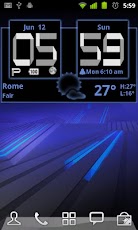
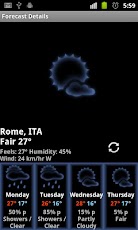
Honeycomb Digital Analog Weather clock,size 4x2Android Digital clock widget with Calendar, Time, System info,weather & forecastA Digital Clock widget with size 4x2It features:135 skins12/24 hour + Color choice on all info displayedSystem Stats Info + pop-upWeather & Forecast2 Weather layouts on clock(user choice)2 Forecast layouts(user choice)+tap bottom right->preferences+tap bottom left->system information dialog+tap weather icon->forecast+tap Hour->launch anything!+tap Minutes->launch anything!From configuration select the honeycomb font if you want it to look like the pictures.Widgets on Android work a bit differently than a normal application. Unlike regular programs they don’t just install themselves in the application tray so you have to add them manually. They will not open or launch.Here’s how to add a widget on your Android home screen.STEPS HOW TO ADD A WIDGET==========================1.On your Android home screen, tap any blank or
App Screenshots
Other Weather Apps