
| Price | Free |
|---|---|
| Category | Productivity |
| Version | 1.2 |
| Developer | Imagicle SpA |
| Added | Apr 19th, 2012 |
| App Views | |
| Votes | 0 votes |
| Google Rating | |
| Ratings | 31 |
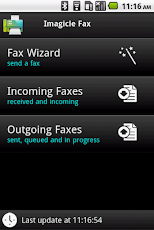
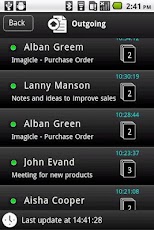
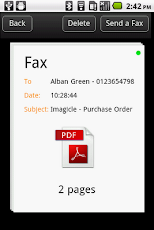
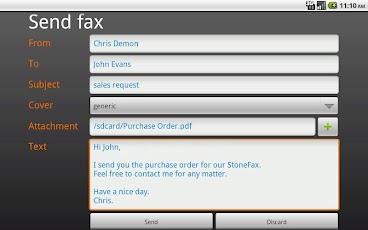
Imagicle Fax is the mobile client solution designed for Android devices, making faster, smarter and easier sending and receiving faxes anywhere, anytime.Imagicle Fax works with StoneFax, the ultimate pure IP Fax server from Imagicle, compatible with any the leading IP PBX vendors (Cisco, Avaya, Alcatel, Aastra, Siemens) and Gateways (Audiocodes, Patton, innovaphone) running on real or virtual servers and certified for MS Windows Server 2008 R2 64 bit. With Imagicle Fax, StoneFax extends its wide toolset for sending and receiving faxes in the new workspaces (web access, fax2mail and mail2fax, print to fax, MFPrinters and Network scanners) with an easier to use, dedicated app for your Android device.Imagicle Fax app enables to login to the company StoneFax server for sending faxes and checking the inbox and outbox, bringing faxes at fingertips, anywhere, anytime.Received documents can be accessed easily through the incoming faxes section, where is possible to check fax details like sender, date and time other than open the pdf received file.And you can also get the notification of every new fax in your email box, notified by email.Every company running the Imagicle StoneFax is eligible to download the Imagicle Fax app and start managing faxes in mobility, at no additional costs.Features:The Imagicle Fax app requires the credentials (username, password, server address) to connect to the company StoneFax server/cluster.After logging in with the same credential used for accessing the StoneFax server, it is possible to send faxes through a complete and intuitive send a fax wizard, specifying the recipient name and number or selecting from the local contacts, insert the body of the fax or selecting a file to be sent as fax and optionally including a cover page with your notes.The doc is submitted to the company StoneFax server which converts the doc (xls, doc, docx, pdf, rtf, txt, jpg, png) to fax and sends to the recipient.The fax is automatically put in the outgoing faxes section with the appropriate status (queued, transmitting, sent or failed): the same fax can be viewed by the StoneFax web interface for a fully converged fax box while in office or travelling!
App Screenshots
Other Productivity Apps





