| Price | $2.50 |
|---|---|
| Category | Transportation |
| Version | 2.1 |
| Developer | Optimate Ltd |
| Added | Feb 18th, 2011 |
| App Views | |
| Votes | 0 votes |
| Google Rating | |
| Ratings | 1 |
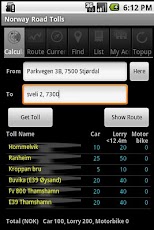
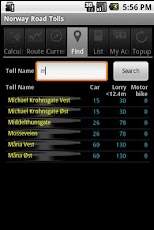
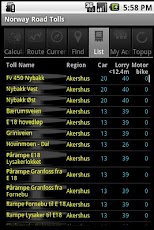
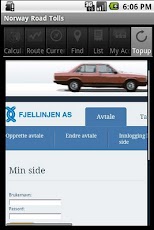
Norway Road Tolls is the original Android App for calculating road toll costs in Norway. It calculates the toll costs for a journey, displays a map with the route and toll plazas, plus much more.We hope you enjoy using this application. Feedback is very welcome at [email protected] DETAILSThere are seven screens: * Calculator* Route* Current Location* Find* List* My Account* Top-upCalculatorIn the Calculator screen, you can specify the start and end points for a journey. These points can be a valid address or the latitude/longitude separated by a colon. For example: Ravelsveita, Trondheim or 63.431447:10.392568. The Get Toll option will display a list of toll plazas on the journey with the cost for each plaza for Cars, Lorries and Motorbikes. A total cost for the journey will also be shown.The Show Route option will switch you to the Route screen which will display a map with the route and toll plazas for the journey.RouteIn the Route screen, you will see a map with the route and toll plazas for the journey specified on the Calculator screen. Clicking on a toll plaza will display the toll plaza name and the toll costs. This screen also allows you to specify a journey by double tapping the screen and then tapping start and end points for the journey on the screen. In this instance the route and toll plazas will be displayed for the specified journey. Current LocationIn the Current Location screen you can see your current position on a map. This is useful while running, hiking or cycling because the location marker is constantly updated and you can see the path taken.FindIn the Find screen you can search for toll plazas by name or part name. The plaza/plazas will be displayed with their costs. List In the List screen you can display all toll plazas with their associated costs. For ease of use, plazas are displayed by Region. My AccountIn the My Account screen you can find the address of the logon screen for your toll operator. Select the Top-up option to switch to the Top-up screen which will display the logon screen for the operator. Top-upThe Top-up screen displays the Autopass website. This screen is also used by the My Account Screen to display the logon screen for a selected toll operator.
App Screenshots
Other Transportation Apps