
| Price | Free |
|---|---|
| Category | Productivity |
| Version | 1.3.0 |
| Developer | Vitalij |
| Added | Apr 7th, 2012 |
| App Views | |
| Votes | 0 votes |
| Google Rating | |
| Ratings | 33 |
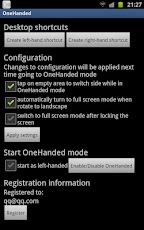
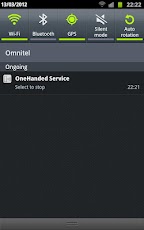
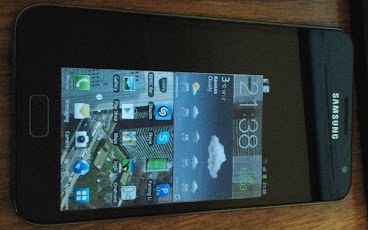
*Requires Root**Currently supports Samsung Galaxy Note (tested on N7000) **THIS IS TRIAL VERSION!!! FULL VERSION REQUIRES REGISTRATION AND IS PAID*OneHanded application allows you to comfortably use Galaxy Note with just one hand.Also, better battery life while using smaller screen can be achievedIt is done by scaling the image on the screen to the size of Galaxy S screen.Features (of the full version):*no text on empty area*create shortcut on home screen to go to OneHanded mode with one click. (You can choose on which screen side app will reside initially)*change side of the screen by tapping on empty area*auto turn to full screen when phone is rotated to landscape and back to OneHanded mode when rotated back to PortraitFeatures (of the free version):*auto switch to full mode after screen lock/unlock (configurable)*notification icon allowing to return to full screen modeThis application supports standard Samsung firmwares – with custom kernels it may not work (however I have successfully tested it with some custom kernels)Custom kernels: app requires kernel with KALLSYMS, so ask developer of your kernel to include this in his config when building kernel: CONFIG_KALLSYMS=y, CONFIG_KALLSYMS_ALL=yKnown issues: A bit slow when in OneHanded mode. Better if using app like Tegrak Overclock to lock GPU speed to 267MHzVideo and camera preview will not be scaled in OneHanded mode.Stylus position will be incorrect while in OneHanded mode
App Screenshots
Other Productivity Apps





