
| Price | Free |
|---|---|
| Category | Productivity |
| Version | 1.0.4 |
| Developer | mightyfrog |
| Added | Apr 2nd, 2012 |
| App Views | |
| Votes | 0 votes |
| Google Rating | |
| Ratings | 28 |
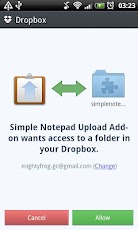
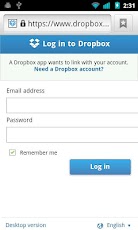
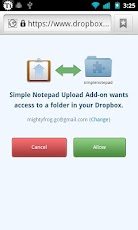
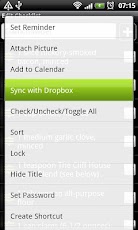
This is an addon for Simple Notepad (v1.6.4c+).- Auto-uploads notes/checklists to your Dropbox account (Apps/simplenotepad) when you end editing.- Syncs (pull) notes/checklists with Dropbox(Apps/simplenotepad) – in note/checklist, menu > More > Sync with Dropbox- Imports text files as notes/checklists from Dropbox (Apps/simplenotepad) – menu > Settings/Toos > Tools > Import from Dropbox[IMPORTANT] This addon doesn’t maintain the revision information. Upload always overwrites Dropbox data and sync always overwrites local data. File encoding must be UTF-8.How to setup:[RECOMMENDED if you have the official Dropbox app installed and logged-in]1. Install the add-on.2. Open Simple Notepad and go to menu -> Settings/Tools -> Tools -> Import from Dropbox. You will be asked to give permission (1st screenshot). Just hit "Allow". You may have to repeat this step till Dropbox stops asking for the permission.[if you DON’T have the official Dropbox app installed]1. Install the add-on.2. Open Simple Notepad and go to menu -> Settings/Tools -> Tools -> Import from Dropbox. Log in to your Dropbox account when the browser opens (2nd screenshot).3. When you’re asked to give permission (3rd screenshot), hit "Allow". Nothing happens, just dismiss the browser. You may have to repeat this step till Dropbox stops asking for the permission.To test if the add-on is working or not, try this:1. Open an existing note/checklist.2. Exit the note/checklist.3. Go to menu -> Settings/Tools -> Tools -> Import from Dropbox. You should see the note you just edited in the list. If you don’t see it, try again (there might be some upload lag).
App Screenshots
Other Productivity Apps





