| Price | Free |
|---|---|
| Category | Casual |
| Version | 1.41b |
| Developer | Xiled Systems |
| Added | Apr 24th, 2012 |
| App Views | |
| Votes | 0 votes |
| Google Rating | |
| Ratings | 52 |
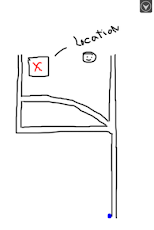
– Ad Version — Upgrade to Full version for additional colors and no ads. – Doodle & draw, quickly write down notes, create to-do lists, jot down directions and more. With the included templates, Sketch Mate can also be used to entertain children and adults alike. In addition to allowing you to choose from a canvas color or importing a photo, Sketch Mate includes templates for Tic-Tac-Toe, a To-Do List, a Chalkboard, and several scenic backdrops such as Night Sky, Space, Underwater Sea, and more! NEW: Quick CanvasStart a new project with just one click. To change the settings, hit the menu button on the main screen.NEW: Kids Mode!With the all new Kids Mode, your doodles take on a whole new life. Choose from Confetti (constant string of various colors & sizes) and Random (changes color & size each time you lift up) settings for creative sketching with a twist. Features:- NEW! Quick Settings – One Click canvas creation. Hit the Menu button on the main screen for settings options.- NEW! Kids Mode- 4 Canvas Colors- 11 Templates- Photo Import- Brush size control- 8 Colors- Eraser- Saves as .png default. Type in filename + .jpg to save as a jpg.- View saved images in Gallery Mode- Great for quick notes + doodles- Not an advanced sketch program- Note: Screen sensitivity will vary depending on your device & its capabilities- Ads – Update to Sketch Mate for an Ad-free experience- Looking for a more powerful sketch app? Try Sketch Mate Advanced, now available in the market!
App Screenshots


Other Casual Apps