
| Price | Free |
|---|---|
| Category | Libraries & Demo |
| Version | 1.30 |
| Developer | Ghost Squared |
| Added | Nov 23rd, 2010 |
| App Views | |
| Votes | 0 votes |
| Google Rating | |
| Ratings | 997 |
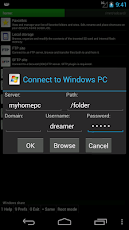
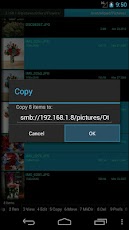
A plug-in to the "Ghost Commander file manager" toaccess to Windows network shared folders (also referenced as SMB, Samba, CIFS or even NetBios).Please note: Make sure you’ve installed the Ghost Commander application itself before attempting to download and install this plugin.To use this plugin, launch Ghost Commander and navigate to ‘Menu > Location > Home > Windows share’. Alternatively, scroll along the toolbar until you arrive at ‘Home’ and then tap it. Enter your server name and credentials (if any), then tap the ‘Connect’ button.Once connected, you should be able to see a list of Windows machines or Samba servers on the network.Tip: Better have the windows account with password. A passwordless windows account might not work.Please visit the website for more details.Email the developer if you have any questions.
App Screenshots
Other Libraries & Demo Apps