
| Price | Free |
|---|---|
| Category | Productivity |
| Version | 1.1 |
| Developer | admin |
| Added | Oct 2nd, 2011 |
| App Views | |
| Votes | 0 votes |
| Google Rating | |
| Ratings | 3 |
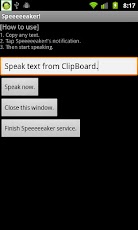
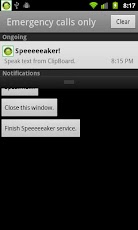
Speak text from ClipBoard.[How to use]1. Copy any text.2. Tap Speeeeeaker!’s notification.3. Then start speaking.
App Screenshots
Other Productivity Apps





