
| Price | Free |
|---|---|
| Category | Productivity |
| Version | Varies with device |
| Developer | Wizard Solutions |
| Added | Jan 5th, 2011 |
| App Views | |
| Votes | 0 votes |
| Google Rating | |
| Ratings | 63 |
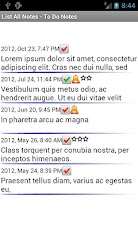
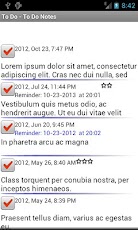
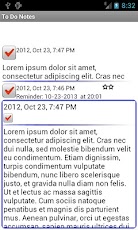
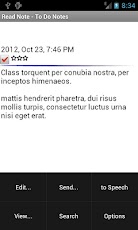
To Do List saved in chronological order, quick entry and swipe through the list. Red and Green check boxes mark the status of the To Do’s. Option to start in To Do List, New Note, Calendar, Split Screen or All Notes List. Private entries ensured by password.To Do list features:- set reminders with LED notice and vibrate on select To Do’s in the list- search, private locking code- To Do font size adjustment and custom colors- set your own colors on the ToDo notes- split screen option for tablets and large displays- 3 star classification for To Do’s- import text directly from files- use Text to Speech to read notes- send journal notes to Email, SMS text, Google Calendar and save to SD card- import/export entire list to SD card.- supports English, French, Spanish, German, Romanian and Italian languagePremium version available on Google Play – search for "jnmwsi". The paid app can synchronize the notes to a Windows/PC version of the software via USB cable. Paid app is also ad-free. Your existing notes can be exported and in the paid version.Permissions information:Internet access – required to display adsRead phone state – required to display adsView network state – required to display adsSend SMS messages- required to send a note as an SMS text messageModify USB and SD card contents – required to export/backup the notes on the SD cardVibrator – used for reminder notifications
App Screenshots
Other Productivity Apps





