| Price | Free |
|---|---|
| Category | Weather |
| Version | 0.41 |
| Developer | Droid27 |
| Added | Mar 31st, 2012 |
| App Views | |
| Votes | 0 votes |
| Google Rating | |
| Ratings | 158 |
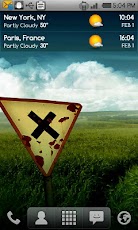
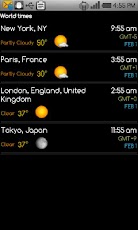
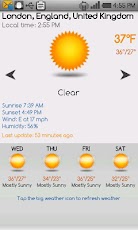
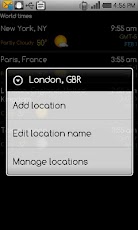
A full featured, world clock widget available in 4×1 and 4×2 sizes. The widget supports an unlimited number of locations and will display local times, current weather conditions and weather forecast.The widget features the following:- 7 different skins to choose from (more skins coming in the future)- 4 weather icon skins- Works in portrait or landscape mode- 12 or 24 hour clock with date- Detailed weather forecast display including the following: – Local time – Sunrise and sunset time for current location – Humidity and wind conditions – Current condition, temperature and low and high temperatures – Current condition icon – Last weather update time – 4 day weather forecast- Unlimited number of locations; enter all your favorite locations and easily keep track of the current time and weather conditionsThe widget can be fully customized with the following options:- Choose the widget and weather icon skins- Choose the text color for the time, am/pm indication, date, location, current weather condition and current temperature- Display 12 or 24 hour time with optional AM/PM indicator (if 12 hour format)- Beep every hour (optional)- Select the date display format- Optionally show or hide specific elements of the widget (weather icon, date)- Display temperature values in Celsius or Fahrenheit- Select automatic weather refresh period (15 minutes, 30 minutes, 1, 2, 3, 4 or 6 hours)- Enter your favorite world locations to watch local times, current weather conditions and weather forecast information- Update weather on WiFi and/or GPRS- Choose whether you want to update while roaming or not- Play notification sounds on location and weather changes and updates- Select alternate weather forecast service (MSN) – default is GoogleIMPORTANT!!!- This is a widget, not an application. To install it please refer to the help display when you run it. There is also a link to a video that shows you how to install it.- If you are using a task killer exclude the widget from itPlease report any problems, suggestions or requests via e-mail at [email protected].
App Screenshots
Other Weather Apps